Pyrotechnics
Zephyrs drones can be equipped with a pyrotechnic charge that can be triggered when appropriate.
Pyrotechnics charge can explode and/or produce a lot of heat when triggered. Please make sure to respect every security steps to ensure a safe show !
Prerequisites
- 1 operation laptop
- 1 DCC kit
- 1 RJ45 cable
- 1 pyrotechnics enabled bundle
Bundle
The choreographers should provide a compatible bundle.
To be compatible, specific instructions should be exported by Symfony in the demo.xml of these drones.
Before continuing, make sure that the choreographer took into account the specific start zone designated for pyrotechnics drones.
These drones should be easily recognizable by a specific name prefix (usually PYRO).
Make sure that the security features are enabled for both the tests and show flights following the instructions located in Drone Configuration.
Because having a payload changes multiple variables such as the weight or the center of mass, pyrotechnics enabled drones shall be provided a new PID file. This file contains necessary information for safe flights. Make sure that this file is present in the bundle, support can help you to do so.
Because of this, the pyrotechnics enabled drones should receive different files than the others. The method to so is available on Drone Configuration.
Pyrotechnics Zephyr
The support for pyrotechnics is the following:
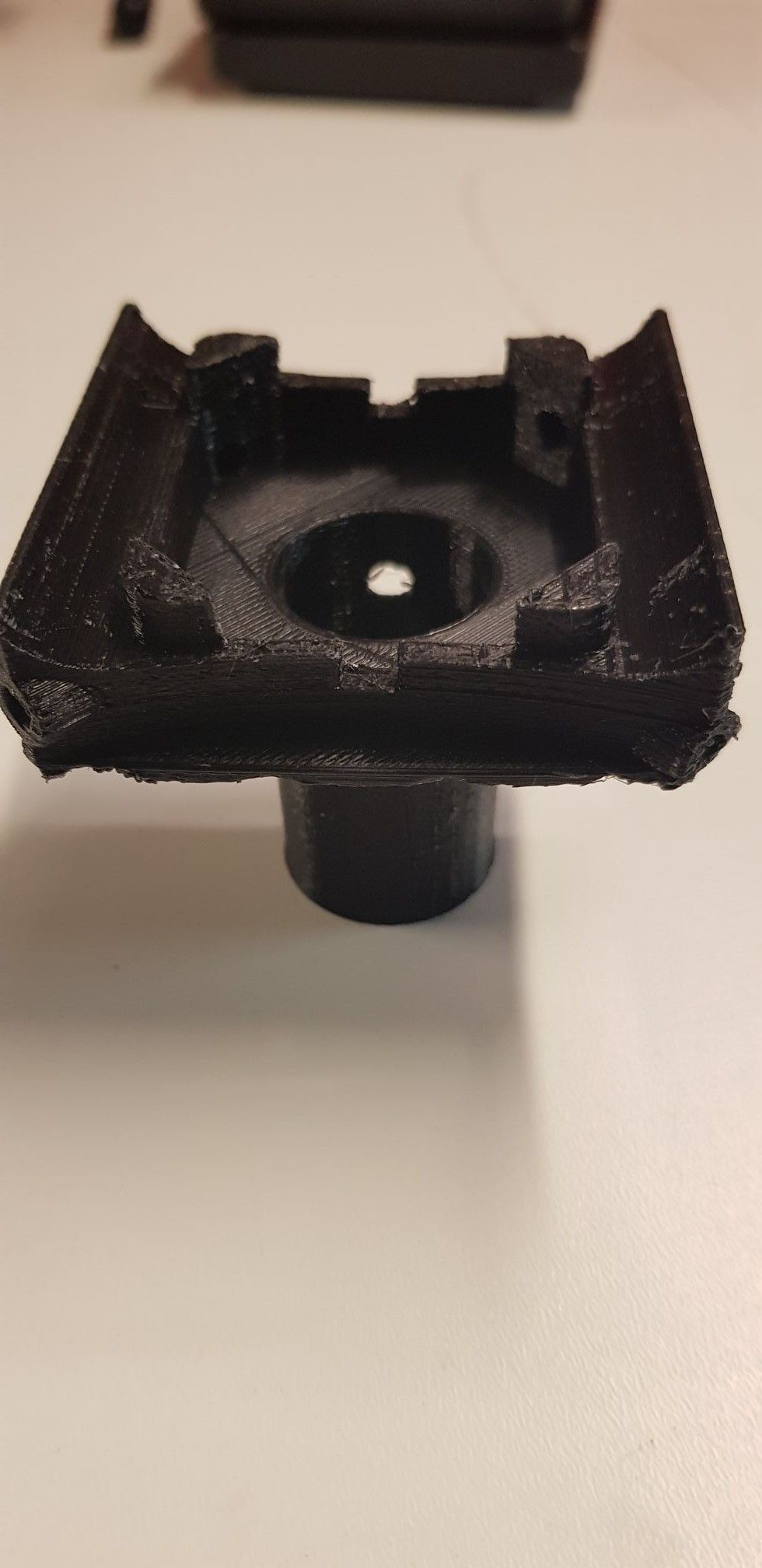
The Zephyr equipped with a pyrotechnics charge:
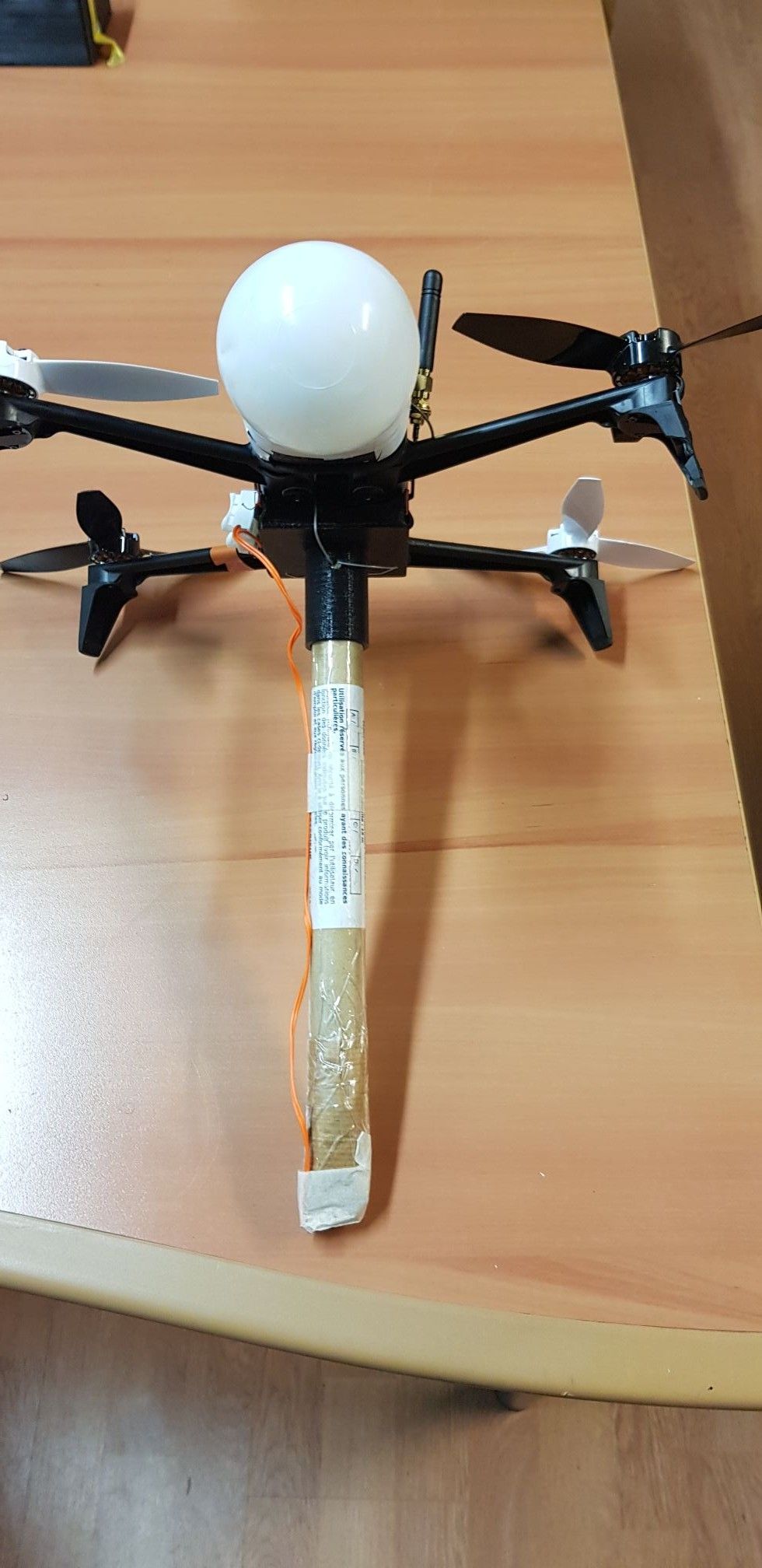
The electric match should be connected on the drone PCB.
Prepare the flight
Before installing the charges, make sure to calibrate the drones.
Make sure that the fireworksMode is set to the appropriate value (Drone Configuration).
Equip the drones with the pyrotechnics charges. Upload the bundle to the DCC.
The timeline of the DCC will show a new milestone representing when the charges will be triggered.

Proceed as usual for the DCC Setup.
Checklist
While having pyrotechnics enabled drones, the checklist will have a new item available.
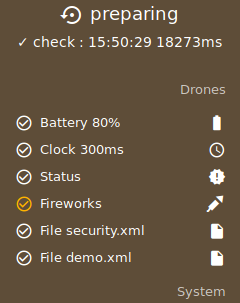
To validate this item, all the pyrotechnics enabled drones mu be first armed using the drone action panel. Select all the pyrotechnics enabled drones and arm them using the available button.
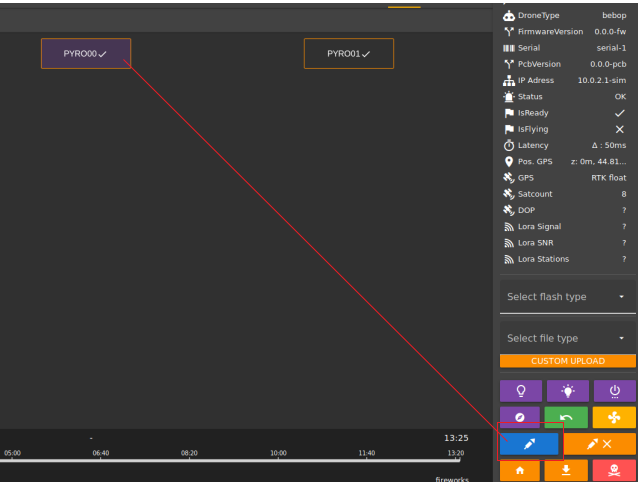
The information panel will also display firework specific information, FireworksArmed and FireworksLaunched;
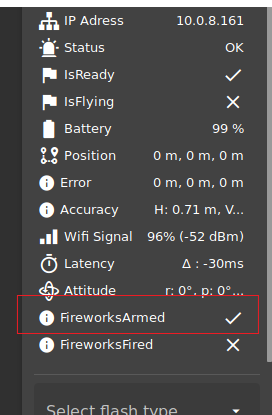
If a drone has launched a pyrotechnic charge during a previous flight, make sure to reset its state by hard-rebooting it before another flight !
Security related questions
The charges will be disabled if any of the following condition is true:
- The current altitude of the drone is under the value specified in the
security.xmlusing theminAltitudeattribute of theFireworkstag - The
fireworksModeattribute of theOmniDronetag was set toledOnly - The drone firmware crashes for any reason
- The drone is receiving a
KILLorder - Any security measure is in progress by the drone such as an
RTHorLAND - The drone raised a
WIFI_LOSTalarm